
Introduction
A remote meeting can become difficult long before the internet connection fails. A barking dog, keyboard clicks, traffic outside the window, construction next door, an air conditioner, children in the background, or coworkers talking a few desks away can make an otherwise professional conversation frustrating.
That matters more in some situations than others. On a casual internal call, occasional background noise may be tolerable. During a sales presentation, customer-support conversation, recruiting interview, online class, or client consultation, poor audio can interrupt the conversation and make participants repeat themselves.
Krisp approaches this problem as a software layer between your microphone, speakers, and communication application. Its original appeal was straightforward: remove unwanted noise from calls in real time. In 2026, however, Krisp is broader than a noise-cancellation utility. Its Meeting AI product combines noise and voice isolation with transcription, recording, AI-generated notes, action items, AI Chat, accent conversion and workflow integrations. Its separate Contact Center AI offering extends further into voice translation, agent assistance, speech analytics and voice security.
This Krisp review examines where those capabilities provide meaningful value, where native tools from Zoom, Microsoft Teams and Google Meet may already be sufficient, what Krisp currently costs, how its privacy model changes depending on which features you enable, and which users are most likely to benefit.
Krisp Quick Verdict
Krisp is best understood today as a real-time Voice AI and meeting productivity platform rather than simply a background-noise remover.
Its strongest advantage remains the combination of cross-platform audio processing and meeting intelligence. Instead of depending on the noise suppression built into one meeting platform, Krisp creates virtual microphone and speaker devices that can work across compatible communication applications. Audio can be processed in both directions: your microphone signal before it reaches the call and incoming audio before it reaches your headphones or speakers.
The product is particularly relevant for people who regularly work from noisy home offices, shared offices, coworking spaces or customer-facing environments. Voice Isolation is also useful when the distracting sound is another person speaking rather than a fan or keyboard.
Its biggest limitation is that Krisp has become a more substantial application. Users who only need occasional noise reduction may already have enough functionality inside Zoom, Teams, Google Meet or their operating system. Some independent customer feedback also mentions CPU consumption, audio-device conflicts and dissatisfaction with subscription pricing.
There is also an important 2026 pricing change: Krisp's old ongoing free tier is no longer the current offer. The live pricing page now advertises a 7-day Free Trial, followed by Core, Advanced and Enterprise subscriptions.
Bottom line: Krisp makes the most sense when clean communication is a repeated operational need rather than an occasional inconvenience.
CTA: Explore Krisp
What Is Krisp?
Krisp is software that processes voice audio before or after it passes through a communication application.
When you install the desktop application, Krisp creates a virtual Krisp Microphone and Krisp Speaker. Your physical microphone feeds audio into Krisp; Krisp processes that signal; the cleaned signal is then sent to Zoom, Teams, Google Meet, a softphone or another compatible application. Incoming audio can travel through the reverse path using Krisp Speaker.
This architecture is important because Krisp is not tied to one conferencing service. According to its documentation, an application generally works with Krisp when it supports virtual audio devices and allows users to choose input and output devices.
Krisp now combines several product categories:
AI noise cancellation
Background voice or Voice Isolation
Echo cancellation
Accent conversion
Meeting transcription
Audio and video recording
AI meeting notes
Action items
AI Chat
Calendar-connected meeting management
Workflow integrations
Enterprise administration
Contact-center Voice AI
That breadth makes the description "noise-cancellation software" technically correct but incomplete in 2026.
Who Is Krisp Designed For?
Krisp is most relevant to people whose work depends heavily on spoken communication.
For a remote employee, the problem might be household noise. For a salesperson, it may be maintaining professional audio during calls from changing locations. For a recruiter, the value may come from combining cleaner interviews with transcripts and notes. For customer-support teams and contact centers, Krisp positions audio processing as infrastructure that sits between the agent headset and the existing CCaaS or UCaaS platform.
The likely high-value audiences are:
Remote and hybrid professionals
Freelancers and consultants
Sales and customer-success teams
Recruiters
Managers with frequent meetings
Customer-support agents
Contact centers and BPOs
Online teachers and coaches
Users who move between several meeting platforms
Someone working in a consistently quiet office with a good headset and only a few calls each week may receive considerably less value.
How Krisp Works
The easiest way to understand Krisp is:
Physical microphone → Krisp AI processing → Krisp virtual microphone → meeting application
For incoming audio:
Meeting application → Krisp virtual speaker → Krisp AI processing → physical headphones/speaker
Krisp therefore acts as a software audio layer rather than replacing Zoom, Teams or Meet.
For noise cancellation specifically, Krisp says processing happens locally on the device rather than uploading your call audio to its servers. That distinction applies to the noise-cancellation function itself; recording, transcription and AI meeting features have different data-processing rules, which are covered later in this review.
The practical advantage is consistency. Once configured, the same processing layer can potentially follow you between several calling applications instead of requiring a different audio setup in each platform.
Krisp AI Noise Cancellation
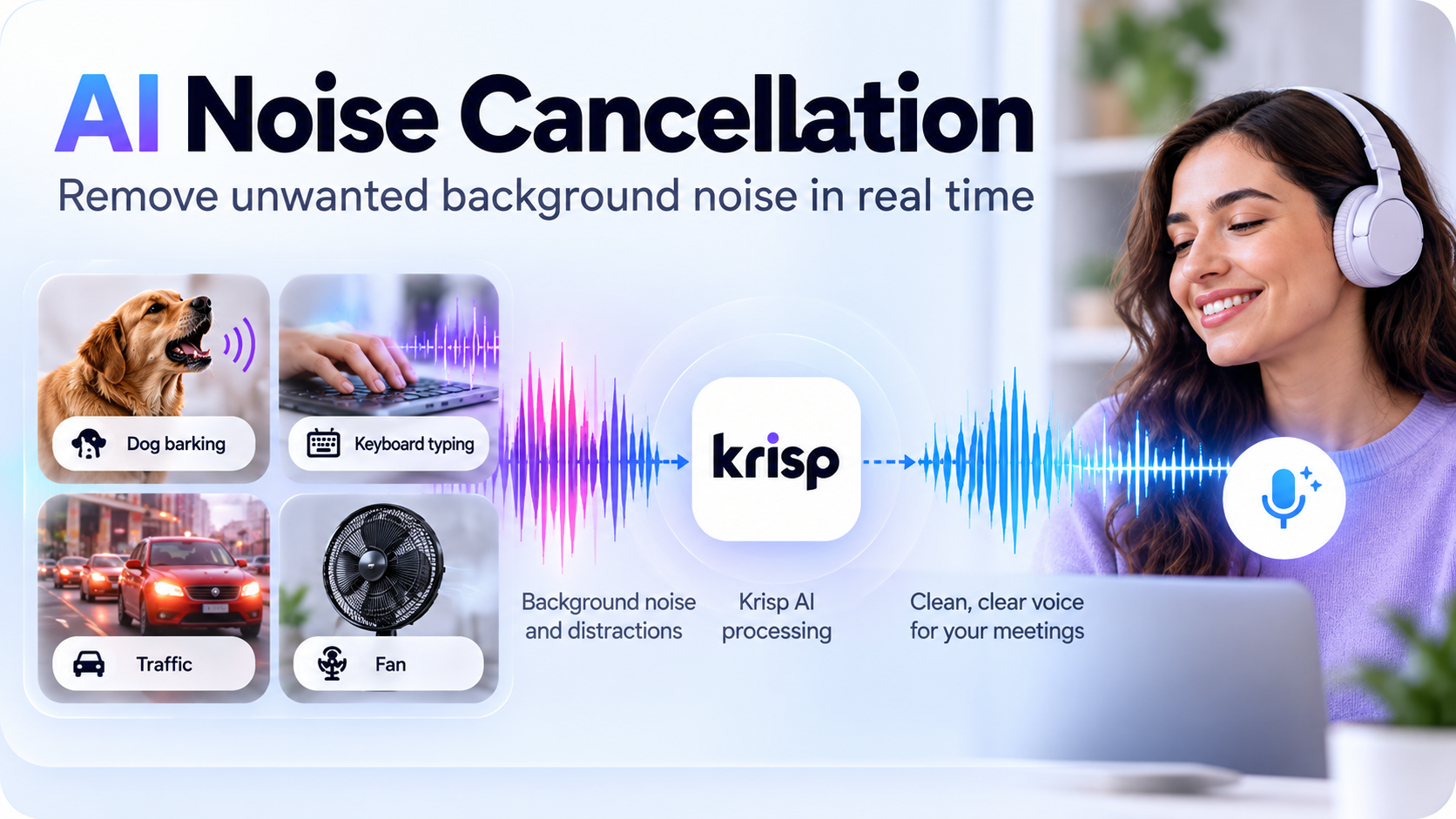
Noise cancellation remains the foundation of Krisp.
Traditional noise suppression often targets predictable background sounds such as fan noise or low-frequency hum. AI-based systems attempt to distinguish speech that should remain from sounds that should be removed.
Krisp markets its current system as bidirectional: it can process both the microphone side and incoming participant audio. The desktop interface therefore includes controls corresponding to noise from your side and noise arriving from other participants.
Typical distractions Krisp is designed to address include:
Keyboard noise
Fans and air conditioners
Traffic
Household sounds
Office noise
Door sounds
Background chatter
Room echo
Construction noise
The practical value depends on the environment. Removing a stable computer fan is easier than separating several overlapping voices while preserving the primary speaker naturally.
That is why noise cancellation should not be understood as a guarantee of perfectly clean audio. Real-time processing always involves tradeoffs between aggressively suppressing unwanted sound and preserving the natural characteristics of speech.
Why Krisp is different from meeting-app noise suppression
Zoom, Teams and Google Meet already provide their own forms of noise reduction. Zoom, for example, offers configurable background-noise suppression plus Personalized Audio Isolation. Microsoft Teams uses AI for background-noise suppression and echo cancellation. Google Meet can remove noises such as typing, doors, room echo and construction.
Krisp's additional value is therefore not that other platforms lack noise cancellation. It is that Krisp offers a dedicated, cross-platform layer plus incoming-audio processing, Voice Isolation and meeting-productivity tools in the same application.
CTA: See how Krisp works
Voice Cancellation and Voice Isolation
Ordinary noise cancellation and human-voice cancellation are not the same problem.
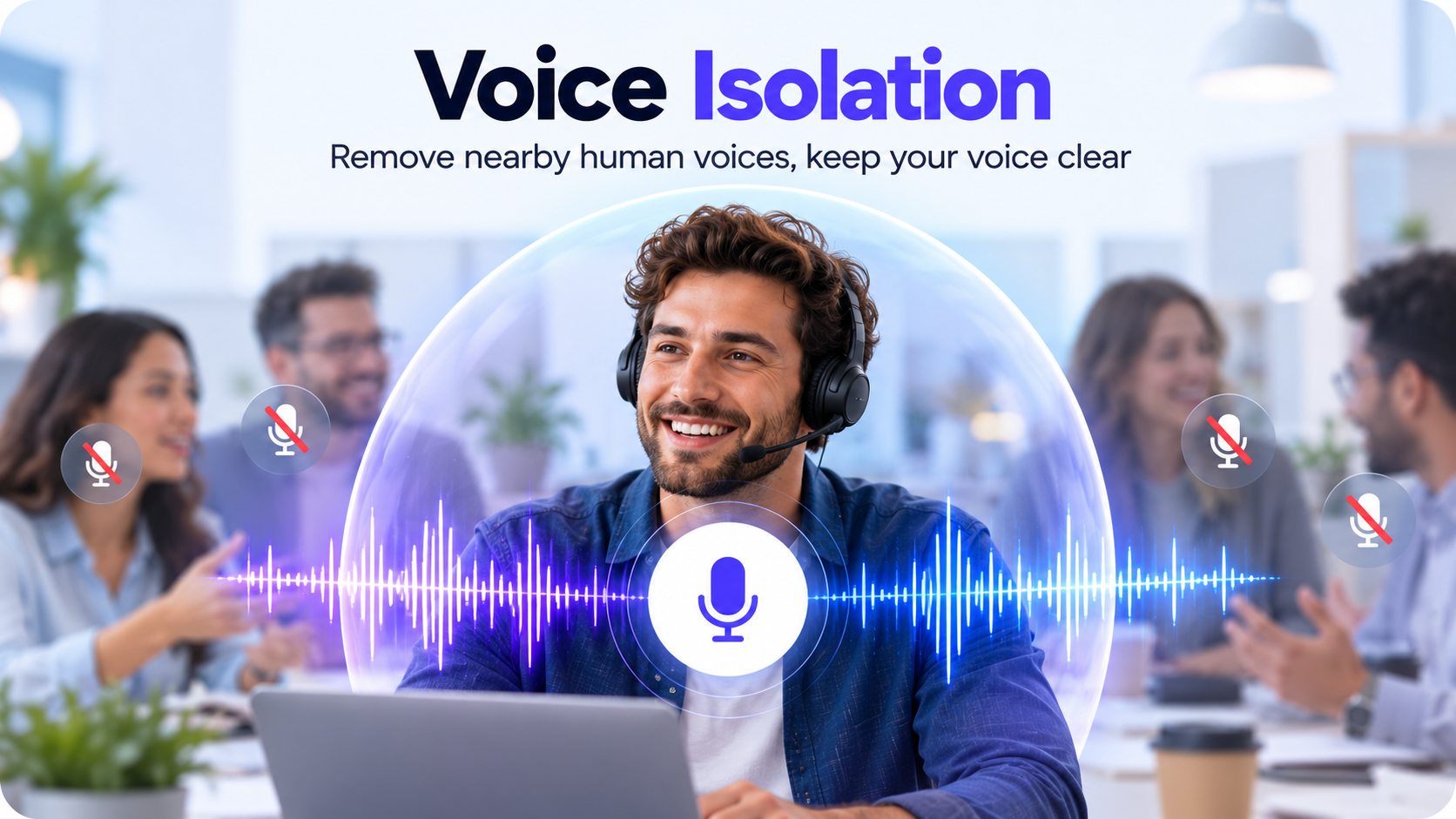
A barking dog or keyboard produces a different acoustic pattern from a nearby coworker speaking English only a meter away. Both the primary user and the coworker are producing human speech, so separating one person from another requires identifying which voice should remain.
Krisp currently calls this capability Voice Isolation in its Meeting AI documentation. It is designed to remove nearby human voices while preserving the main speaker.
This is particularly relevant in:
Open offices
Coworking spaces
Shared home offices
Indoor cafés
Call centers
Rooms where several people are on separate calls
There are hardware considerations. Krisp recommends USB headsets with a half- or full-length boom microphone for the most reliable Voice Isolation performance. Bluetooth and other devices may still work, but Krisp warns that quality can be lower with unrecognized equipment.
That limitation matters. Voice Isolation should not be treated as a magical replacement for microphone placement. A boom microphone close to the user's mouth gives the software a stronger primary signal to work with.
Echo Cancellation
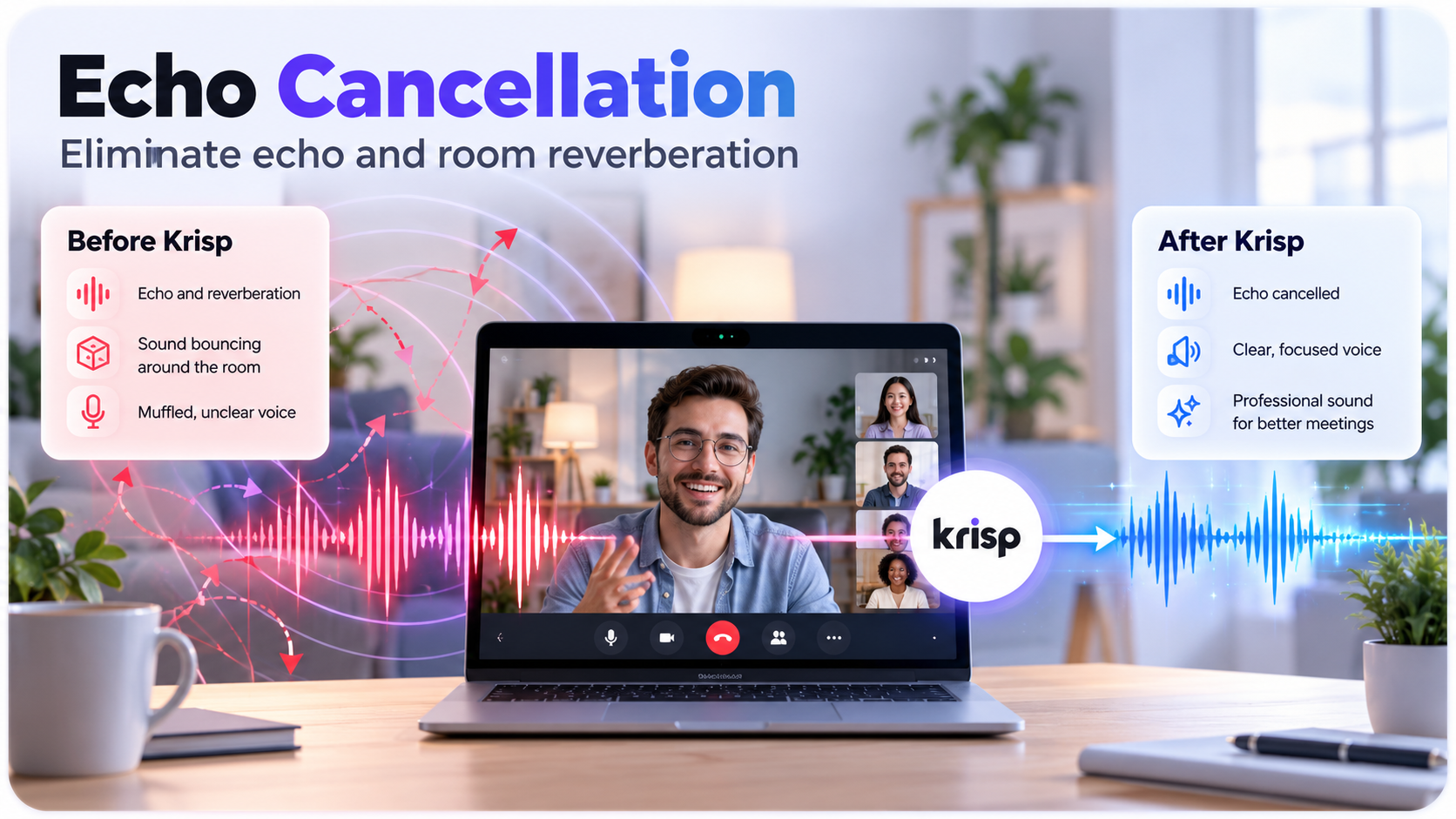
Echo and background noise are separate audio problems.
Acoustic echo occurs when sound coming from speakers is picked up again by the microphone. Room echo, or reverberation, occurs when sound reflects from walls, ceilings and hard surfaces.
Krisp currently addresses both.
Its Acoustic Echo Cancellation is enabled by default and requires Krisp Microphone and Krisp Speaker to be selected for the communication application. Room Echo Cancellation handles reverberation and works through the microphone side of the processing chain.
This is especially useful when people use laptop speakers rather than headphones or work in sparse rooms with hard reflective surfaces.
Echo cancellation should not be confused with noise cancellation: one primarily deals with repeated or reflected audio, while the other deals with unwanted sound sources.
Voice Quality
The objective of real-time audio processing is not simply to remove as much sound as possible. It is to remove distraction while keeping speech understandable and reasonably natural.
Krisp itself recommends minimizing competing signal processing. Its current headset guidance advises users to disable additional noise reduction, echo processing, automatic gain control and similar enhancements where possible so that several processing systems are not modifying the same signal simultaneously.
This advice explains why some people experience better results than others. A signal may pass through:
Headset processing
Operating-system processing
Krisp
Zoom or Teams processing
Aggressive processing at every stage can make speech sound thin, clipped or unnatural.
Krisp cannot turn a poor microphone into a high-end studio microphone. A better source signal still matters.
Real-World Noise Scenarios
Home office
Problem: Children, appliances, pets, air conditioning or another person working nearby.
Expected benefit: Noise Cancellation can reduce non-speech distractions, while Voice Isolation may help with nearby human voices.
Limitation: Very loud voices close to the microphone remain a harder separation problem, particularly with an unsuitable microphone.
Coffee shop
Problem: Chatter, cups, music and general room noise.
Expected benefit: Krisp is well matched to this kind of mixed distraction when a headset keeps the user's own voice strong.
Limitation: Music and multiple nearby speakers create a more complex signal than a steady fan.
Coworking space
Problem: Other professionals speaking at similar volume.
Expected benefit: Voice Isolation is more relevant than ordinary noise cancellation here.
Limitation: Krisp recommends compatible headsets for the best isolation results.
Street noise
Problem: Vehicles, horns and inconsistent ambient sounds.
Expected benefit: Real-time noise reduction may substantially improve intelligibility.
Limitation: Wind directly hitting an exposed microphone can still create difficult distortion.
Construction
Problem: Drilling, hammering and machinery.
Expected benefit: Krisp is designed for these types of non-speech distractions.
Limitation: Extremely loud noise can physically dominate the microphone signal before software processing.
Keyboard typing
Problem: Frequent short impulses during note-taking.
Expected benefit: This is a classic noise-suppression use case.
Limitation: A desk-mounted microphone physically close to the keyboard may produce a worse input signal than a headset boom mic.
Multiple people talking
Problem: Human speech rather than generic background noise.
Expected benefit: Voice Isolation attempts to retain the main speaker.
Limitation: Hardware compatibility and microphone placement matter much more here than with simple fan noise.
These are expected scenarios based on product functionality, not controlled laboratory test results.
Krisp With Zoom
Krisp works with Zoom by appearing as an audio device.
The basic workflow is:
Install Krisp.
Open Zoom audio settings.
Select Krisp Microphone and Krisp Speaker.
Select your physical microphone and speaker inside Krisp.
Enable Krisp noise processing.
Start the meeting.
Krisp specifically recommends keeping Zoom's Background Noise Removal setting at Low rather than Medium or High when Krisp is active. Krisp warns that running stronger suppression in both applications can suppress parts of the user's voice.
Zoom itself now has capable audio processing, including background-noise suppression and Personalized Audio Isolation, so users who only work in Zoom should compare the native option before paying for another layer.
Krisp With Google Meet
Google Meet uses the same virtual-device approach.
Select Krisp Microphone and, where supported by the browser, Krisp Speaker under Meet's audio settings. Then select the physical devices inside Krisp and enable the appropriate processing.
Browser limitations matter. Safari does not support virtual-speaker selection in the same way as Chrome, so incoming-side Krisp processing may not be available there.
Krisp recommends disabling Google Meet's own Noise Cancellation while Krisp is active to avoid overlapping processing.
Google's native alternative has improved substantially. Meet can remove noises such as typing, doors, room echo and construction, while Google's Gemini features can also generate meeting notes for eligible plans.
Krisp With Microsoft Teams
In Teams, users select Krisp as the microphone and speaker, then choose their physical hardware inside Krisp.
Krisp recommends disabling Teams Noise Suppression while its own processing is active and also recommends keeping High Fidelity Music Mode off for this workflow.
Teams itself is a serious competitor to part of Krisp's functionality. Microsoft uses AI for noise suppression, echo cancellation, speech enhancement and transcription. Its Voice Isolation feature can use a voice profile to distinguish the user from surrounding speakers.
Teams can also provide AI-generated meeting notes through Facilitator and Copilot under eligible licenses.
That makes Krisp most compelling for Teams users when they want the same audio layer across other applications as well.
Other Supported Applications
Krisp does not require a hard-coded integration with every calling application. The main requirement is that the software supports virtual audio devices and provides appropriate audio settings.
Its help center includes specific setup documentation for applications such as:
Webex
RingCentral
Vonage Business
Genesys Cloud
Amazon Connect
Avaya
Talkdesk
Google Chat
TeamSpeak
Krisp is also embedded as an optional noise-suppression technology inside Discord, where users can enable Krisp without installing the standalone desktop app.
For a niche application, the safest compatibility test is therefore not whether Krisp lists the brand on a marketing page. Check whether the application can select virtual input/output devices.
Krisp Desktop App
The desktop application is still the center of the Krisp experience.
A typical first-time workflow is:
Create a Krisp account.
Download the Windows or Mac application.
Select your physical microphone and speaker.
Enable noise processing.
Select Krisp Microphone and Krisp Speaker inside the calling application.
Configure the Note Taker mode if you want meeting capture.
Join the call.
Krisp can also be set as the default microphone at operating-system level so compatible apps can use it without being configured individually.
The setup is straightforward once the virtual-device concept is understood, but audio-routing conflicts are one of the more common areas where users can encounter friction.
Krisp AI Meeting Features
Krisp's Meeting AI product now extends well beyond audio cleanup.
Verified current features include:
Transcription
Audio and video recording
Meeting notes
Key points
Action items
AI Chat
Meeting-history management
Calendar integration
Meeting-note templates
File uploads for transcription
Mobile recording for in-person meetings
Bot and bot-free capture options
Accent Conversion
Webhooks and workflow integrations
Krisp describes the combined system as its AI Meeting Assistant.
CTA: Explore Krisp AI meeting features
Krisp Transcription
Krisp can capture a meeting and generate a timestamped transcript.
Its current multilingual documentation lists support for 16 transcription languages: English, Spanish, French, German, Russian, Italian, Dutch, Polish, Portuguese, Hindi, Czech, Korean, Ukrainian, Danish, Swedish and Norwegian.
Users can edit transcript text, delete individual speech segments, download transcripts and maintain custom vocabulary for terms the system has difficulty recognizing.
Speaker identification deserves a qualification. Krisp can use calendar/contact information to help users replace generic speaker labels with names, but it does not automatically know every speaker's identity.
No transcription system should be assumed to be perfectly accurate. Accents, microphone quality, crosstalk, terminology and background noise can all affect the result.
AI Meeting Notes
Krisp converts transcripts into shorter meeting notes containing information such as key points and action items.
Users can also choose meeting-note templates. Current templates include Auto, Outline and Meeting Minutes, while Core and Advanced users can create their own templates.
The distinction between a transcript and AI notes is important.
A transcript attempts to preserve the conversation. Notes attempt to interpret and compress it.
That makes notes more convenient but also introduces another layer where AI can misunderstand context. Important decisions, legal commitments, hiring decisions or financial instructions should still be verified against the underlying conversation.
Meeting Summaries
Meeting summaries are intended to answer a different question from transcripts.
Instead of "What exactly was said?", the goal becomes:
What were the main topics?
What decisions were made?
What needs to happen next?
Who has an action item?
This can be valuable for managers, consultants, project teams and customer-facing professionals who otherwise spend significant time manually reviewing calls.
Krisp also allows users to edit meeting outputs and manage them from its Meetings dashboard rather than treating summaries as immutable AI output.
Krisp AI Meeting Assistant
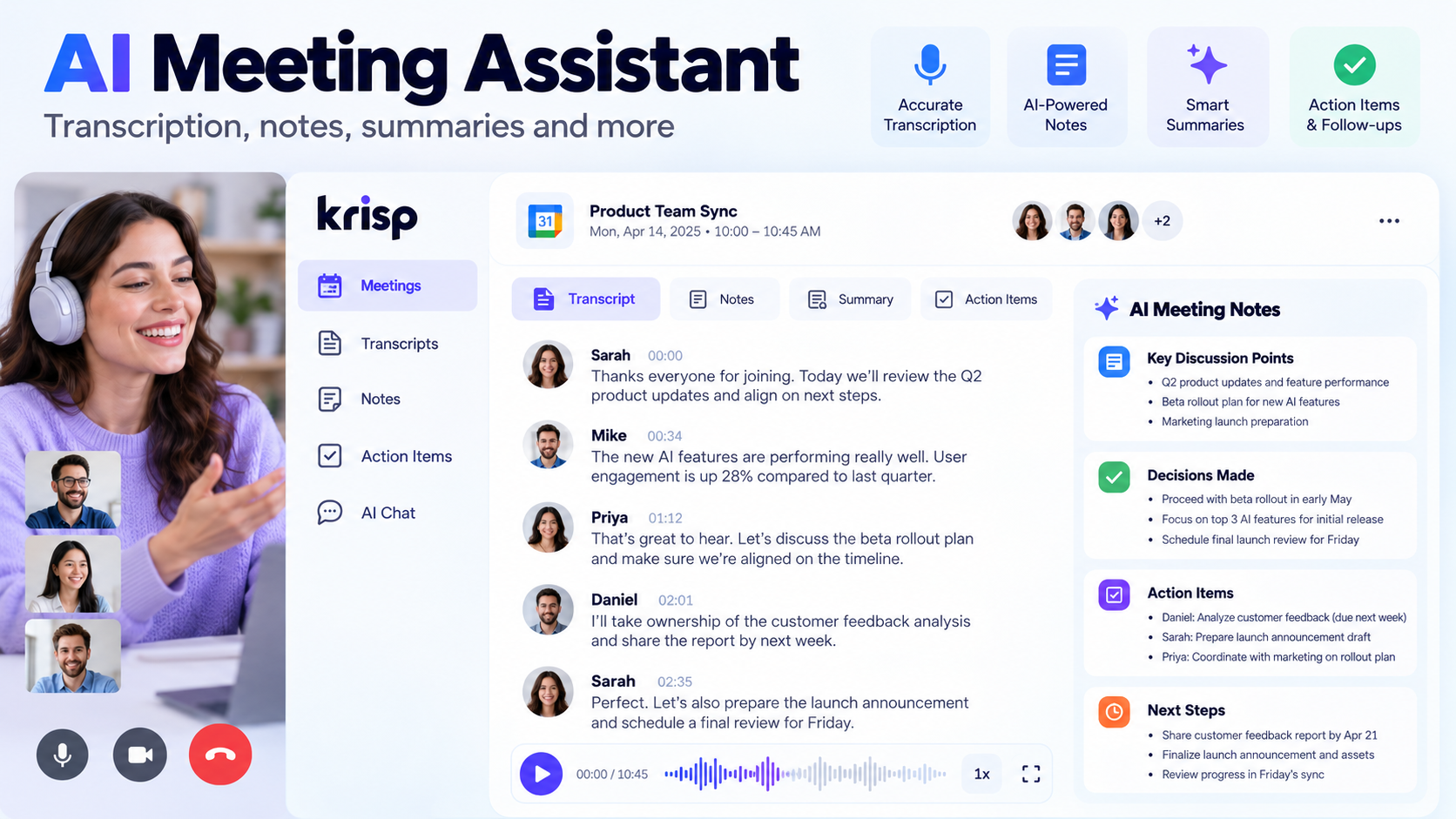
Krisp's AI Meeting Assistant combines several pieces of the workflow.
It can capture meetings, transcribe them, create notes and action items, retain meeting history and provide AI Chat for asking questions about previously captured conversations.
AI Chat lets Core and Advanced users ask questions such as what decisions were made or how different speakers discussed a subject, reducing the need to scan a full transcript manually.
For people attending many meetings every week, this can become more valuable than noise cancellation itself.
The limitation is the same as with other meeting assistants: AI output is a convenience layer, not an authoritative record. Human verification still matters for high-stakes decisions.
Action Items and Meeting Organization
Krisp automatically extracts action items and provides a centralized view where users can assign tasks, add due dates and mark tasks as completed.
This shifts Krisp closer to productivity software.
The practical advantage is reducing the "meeting happened, but nobody remembers the follow-up" problem.
The limitation is workflow overlap. Organizations already operating heavily inside Asana, ClickUp, Jira, Teams or another work-management system may prefer meeting outputs to flow directly into the existing system rather than creating another task-management location.
Mobile App
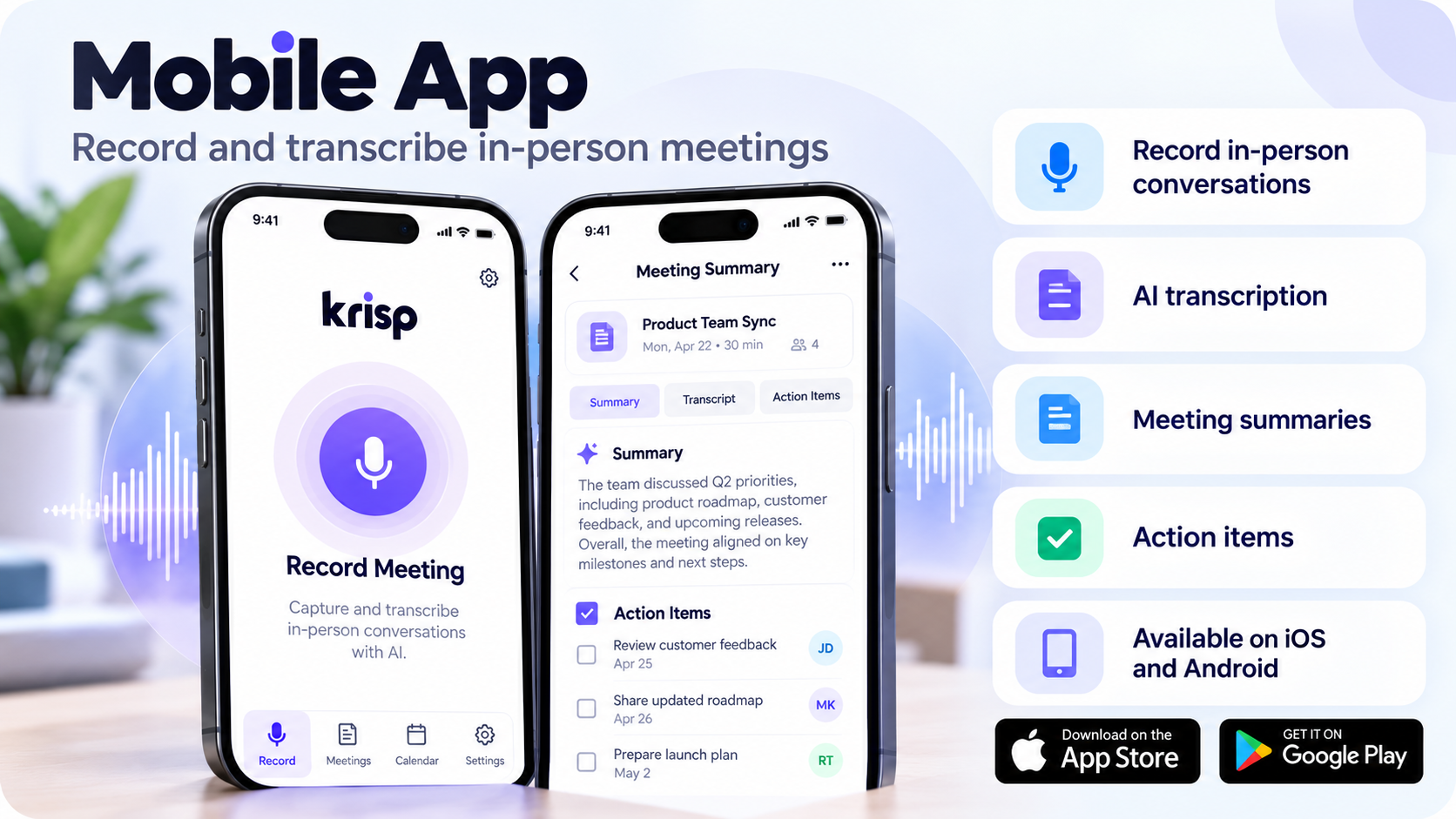
Krisp has mobile applications for iOS and Android focused on meeting capture rather than live noise cancellation.
The mobile app can:
Record in-person conversations
Generate transcripts
Import audio
Show summaries and action items
Manage meeting history
Send a Krisp bot to supported virtual meetings
However, live Krisp Noise Cancellation is not currently available in the mobile app; the desktop application is required for that feature.
This is an important distinction for mobile-first users.
Privacy & Security
Privacy in Krisp depends heavily on which feature you use.
Noise Cancellation
Krisp states that when users use noise cancellation only, audiovisual conversation data remains on the local device and is not stored by Krisp.
That is one of the strongest privacy characteristics of the core audio-processing feature.
Transcription and recording
The privacy model changes when Meeting Assistant capabilities are enabled.
Krisp's September 2026 Privacy Policy states that transcripts, recordings and summaries may be stored on Krisp servers and that meeting content may be shared with third-party service providers where necessary to generate AI summaries.
In Transcribe Only mode, some processing can occur on-device; depending on language and configuration, audio may also be sent to Krisp for transcription and deleted after the transcript is generated.
Audio and video recordings intentionally created with the recording functions are stored in the cloud and encrypted.
Security claims
Krisp's security documentation states that the company has completed SOC 2 Type II auditing and PCI DSS certification.
The current Enterprise pricing page also advertises security controls including SSO/SCIM, data-center location choice, report access and private on-device transcription/recording options.
These are Krisp's documented security and compliance claims. Organizations evaluating them for regulated workloads should review the actual Trust Center documentation and contractual terms rather than relying only on marketing language.
AI Privacy Considerations
Using noise cancellation is fundamentally different from using AI notes.
Noise cancellation can process audio without creating a permanent meeting record. Transcription and recording can create stored representations of conversations that may contain names, business plans, customer information, personal details or confidential discussions.
Before enabling automated meeting capture, organizations should consider:
Whether participants have been informed
Whether consent is required
Internal recording policies
Data-retention rules
Who can share meeting links
Who can delete meeting content
Whether external AI processors are permitted
Whether sensitive meetings should be excluded
Krisp's privacy policy says recordings and meeting notes remain stored until deletion is requested or the relevant content/account is deleted, subject to stated retention and legal requirements.
Applicable recording and consent laws vary by location. Organizations should follow their own legal and compliance requirements.
Krisp for Business
Sales
Salespeople benefit most when several Krisp functions are combined.
Noise cancellation improves the live conversation. Transcription reduces manual note-taking. AI notes and action items help capture follow-up information.
The value is therefore not a guaranteed improvement in conversion rate; it is fewer operational distractions around the conversation.
Customer Success
For customer-success teams, meeting history and action-item extraction can be useful for tracking commitments made to customers.
Recruiting
Recruiters can use Krisp to clean interview audio and, where appropriate under company policy, create transcripts and notes.
Management
Managers attending repeated internal meetings can use summaries and AI Chat to retrieve information without replaying calls.
Krisp for Contact Centers
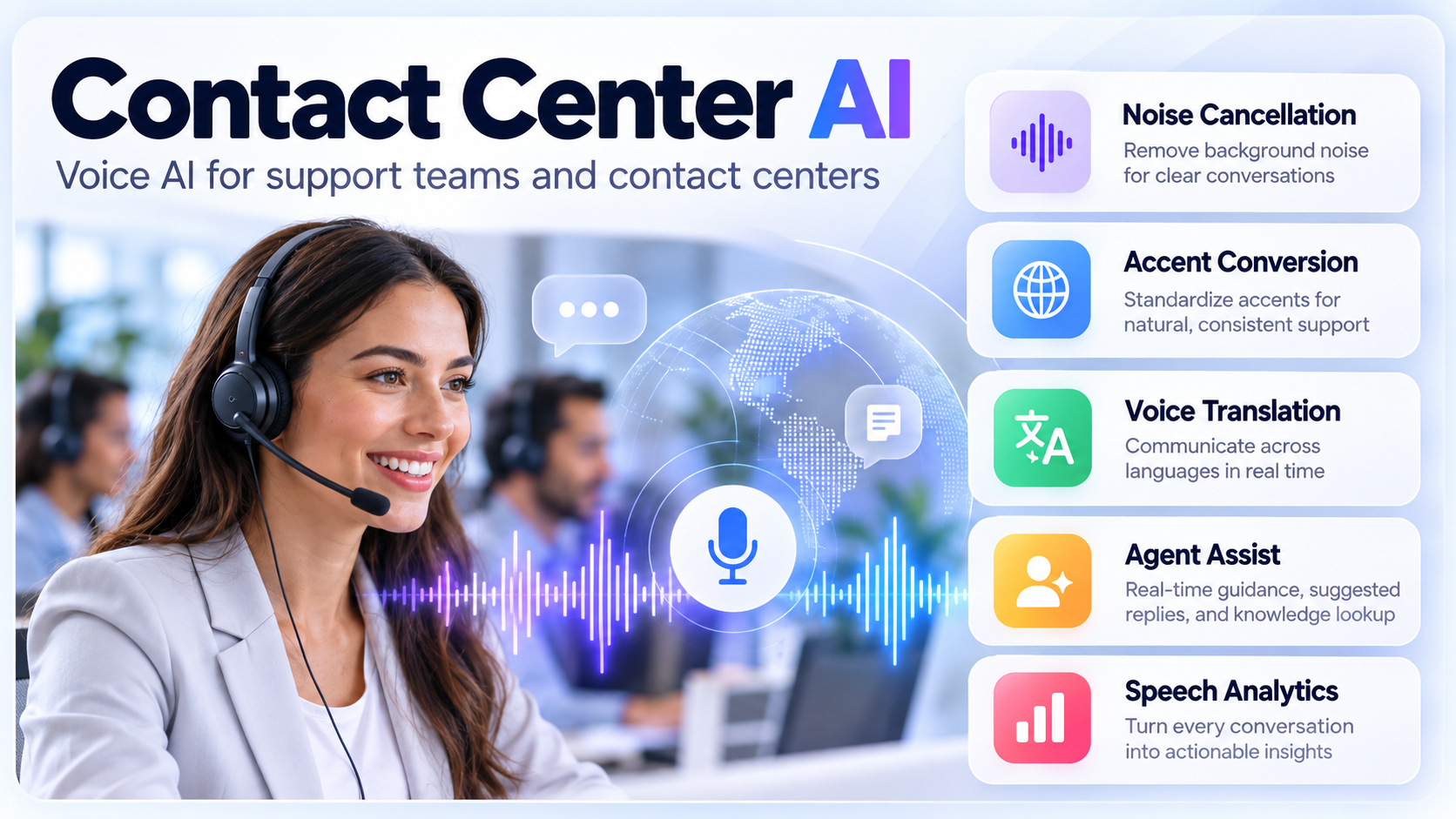
Krisp's Contact Center AI product is significantly broader than the standard Meeting AI subscription.
The current product portfolio includes:
Noise Cancellation
Accent Conversion
Voice Translation
Agent Assist
Speech Analytics
Voice Security
Supporting CX Bridge functionality
Krisp positions the product as a Voice AI layer between an agent headset and the existing CCaaS or UCaaS system rather than requiring the business to replace its telephony platform.
This architecture is commercially important for contact centers because infrastructure replacement is expensive. A software layer that sits above the existing stack is easier to evaluate incrementally.
Contact Center AI has separate sales and trial processes from the individual Meeting AI product.
Krisp for Remote Work
Remote workers are still one of Krisp's clearest audiences.
A home office rarely provides the same acoustic isolation as a dedicated corporate meeting room. That means background noise can appear unpredictably.
Krisp provides the most value when those interruptions happen frequently enough to justify leaving the software configured as part of the default calling workflow.
Someone living alone in a quiet room with a good headset may not experience the same benefit.
Krisp for Content Creators
Krisp can help podcasters, streamers, YouTubers, coaches and educators in live communication scenarios.
However, it should not be treated as a replacement for:
Acoustic treatment
Good microphone technique
Professional recording software
A digital audio workstation
Post-production restoration tools
Krisp's own documentation describes the desktop application as a live communication tool rather than a post-production noise-removal system.
For prerecorded production, dedicated restoration tools may provide more control because they can analyze the audio after recording instead of making decisions in real time.
Krisp for Sales Teams
The most useful sales workflow is not simply "turn on noise cancellation."
A stronger workflow is:
clean call → record/transcribe where appropriate → generate notes → extract follow-up tasks → send useful information into CRM or another workflow tool.
Core includes integrations and webhooks, while the current Advanced tier adds integrations such as Salesforce and ConnectWise.
This can reduce administrative work around a meeting, but businesses should not interpret that as evidence of guaranteed increases in revenue or conversion rate.
Krisp for Customer Support
Customer-support agents often work in environments where audio quality has operational consequences.
A loud background environment can create repeated questions, longer calls and additional cognitive load.
Krisp's Noise Cancellation and Voice Isolation are therefore particularly relevant to support teams and contact centers.
Again, actual business outcomes depend on implementation, hardware, environment and customer base. Performance figures published in Krisp case studies should be treated as vendor/customer case-study results rather than universal benchmarks.
Individual vs Team Use
For an individual, Krisp primarily provides personal audio processing and meeting productivity.
For teams, additional value comes from:
Centralized billing
Shared administration
Integrations
Webhooks
Manager views
Workspace controls
Security settings
Usage management
Advanced and Enterprise expand those capabilities further.
The buying decision therefore changes as the number of seats increases. A feature that is convenient for one user may become an administration and governance requirement for a 200-person organization.
Krisp Pricing in 2026
Krisp has changed its pricing model from earlier versions of the product.
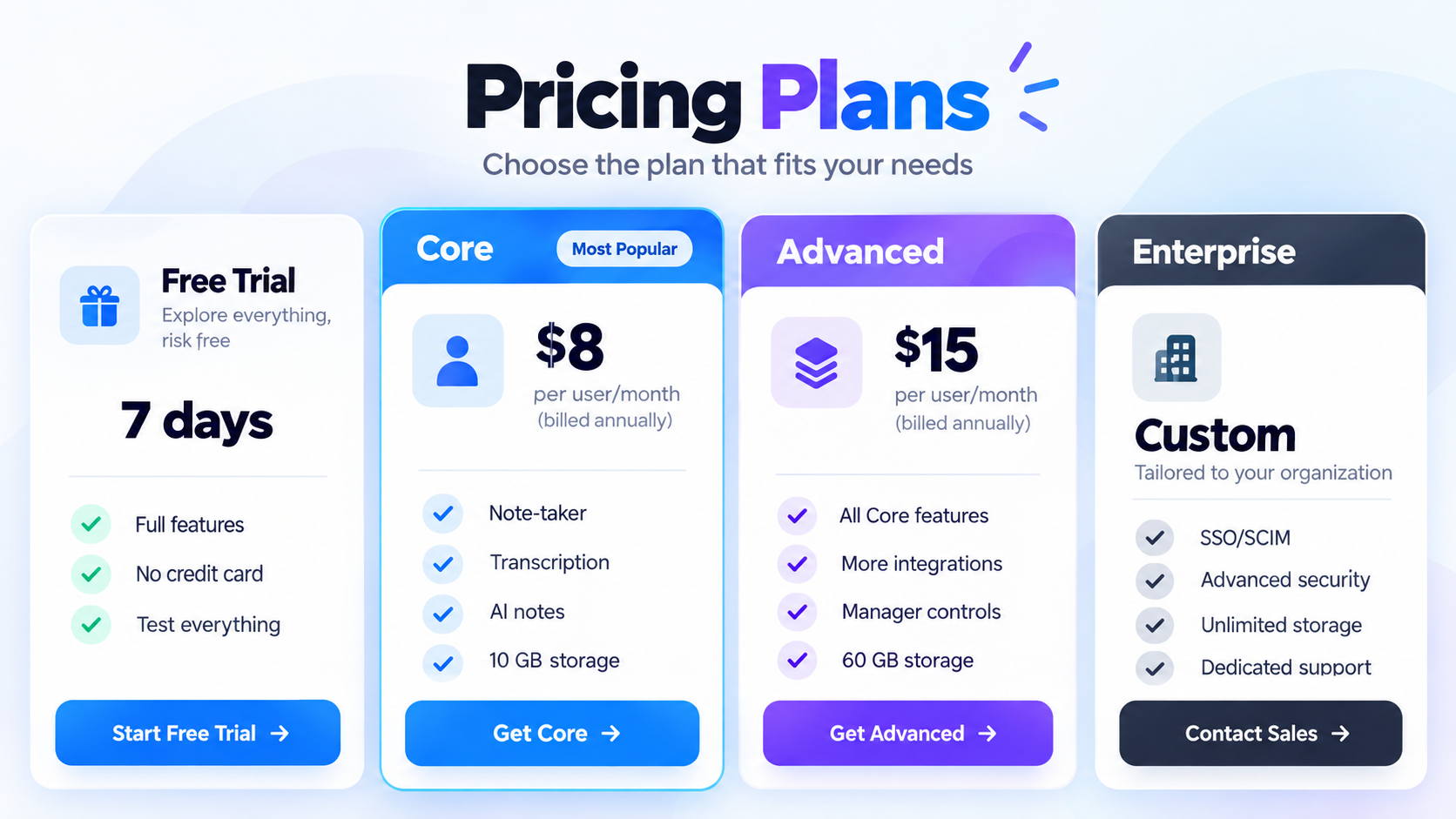
The current Meeting AI pricing page lists four levels:
Plan | Current price | Main features | Storage / limits | Best for |
|---|---|---|---|---|
Free Trial | $0 for 7 days | Premium feature evaluation | 7 days | Testing Krisp |
Core | $16 monthly or $8/user/month billed annually | Note-taker, transcription, recording, AI notes, Noise Cancellation, integrations, mobile app | 10 GB; Accent Conversion 1 hr/day | Individuals and small teams |
Advanced | $30 monthly or $15/user/month billed annually | Core + stronger Accent Conversion, Salesforce, ConnectWise, manager/admin controls | 60 GB | Teams needing advanced controls |
Enterprise | Custom | Advanced + SSO/SCIM, security/reporting controls, dedicated management | Unlimited storage listed | Organization-wide deployments |
Prices and feature descriptions are based on Krisp's live pricing page accessed for this review.
CTA: Compare Krisp plans
Free Trial — What Happened to the Krisp Free Plan?
This is one of the biggest changes users researching Krisp should know about.
Krisp previously had a persistent free tier associated with limited daily noise-cancellation usage. Current pricing no longer presents that model.
The current offer is a 7-day Free Trial with no credit card required, providing access to features such as unlimited Noise Cancellation, transcription, recording and AI notes during the evaluation period.
Krisp's March 2026 Terms of Use confirms the trial model and states that access ends after the trial unless the user activates a paid subscription. Trial users retain a post-trial period for exporting existing content.
Independent user reviews also reflect dissatisfaction from some long-term users about the removal of the old free tier.
Core Plan
Core is the practical starting point after the trial.
At the time of this review it costs:
$16/user/month on monthly billing
$8/user/month on annual billing
Core includes unlimited Note Taker usage, transcription, audio/video recording, AI notes and action items, Noise Cancellation, multilingual transcripts, AI Chat, integrations and webhooks, mobile app access and 10 GB of storage.
For individuals, the annual rate substantially changes the value proposition. Someone who attends meetings daily may find $8 per month easier to justify than the $16 month-to-month price.
Advanced Plan
Advanced costs:
$30/user/month monthly
$15/user/month billed annually
It adds more Accent Conversion capacity, advanced integrations such as Salesforce and ConnectWise, manager views, advanced administration, team-level webhooks and 60 GB of storage.
The upgrade case is therefore much stronger for managed teams than for a solo remote worker.
Enterprise
Enterprise uses custom pricing.
Current listed capabilities include:
SSO/SCIM
Advanced security and reporting
SOC 2 report access
Data-center location choice
Super-admin role
Dedicated account management
Usage analytics
On-device private transcription and recording
Unlimited storage
The pricing page also indicates BAA availability for qualifying larger deployments.
Organizations should confirm exact contractual conditions directly with Krisp because enterprise terms can vary.
Subscription, Cancellation and Refunds
Krisp subscriptions automatically renew.
Users can cancel from the Billing section, and paid features remain available until the current billing period ends.
Krisp's Terms state that fees are generally non-refundable except where specifically provided by the agreement or applicable circumstances.
This is worth understanding before choosing annual billing purely for the lower effective monthly price.
Value for Money
Krisp's value depends on the cost of the communication problem it solves.
For someone attending two meetings a month in a quiet home office, paying for another application is difficult to justify.
For someone spending four or five hours every day speaking with customers from an unpredictable environment, the economics are different.
The most important questions are:
How many calls do you attend?
How noisy is your environment?
Do you switch between multiple meeting platforms?
Do you need transcription?
Are AI notes useful?
Do you already pay for similar features?
Does your company need centralized controls?
Is Voice Isolation important?
Core is particularly interesting because it combines capabilities that users might otherwise buy from separate noise-cancellation and AI meeting-note tools.
Krisp vs Built-In Noise Cancellation
The market has changed significantly since Krisp first became popular.
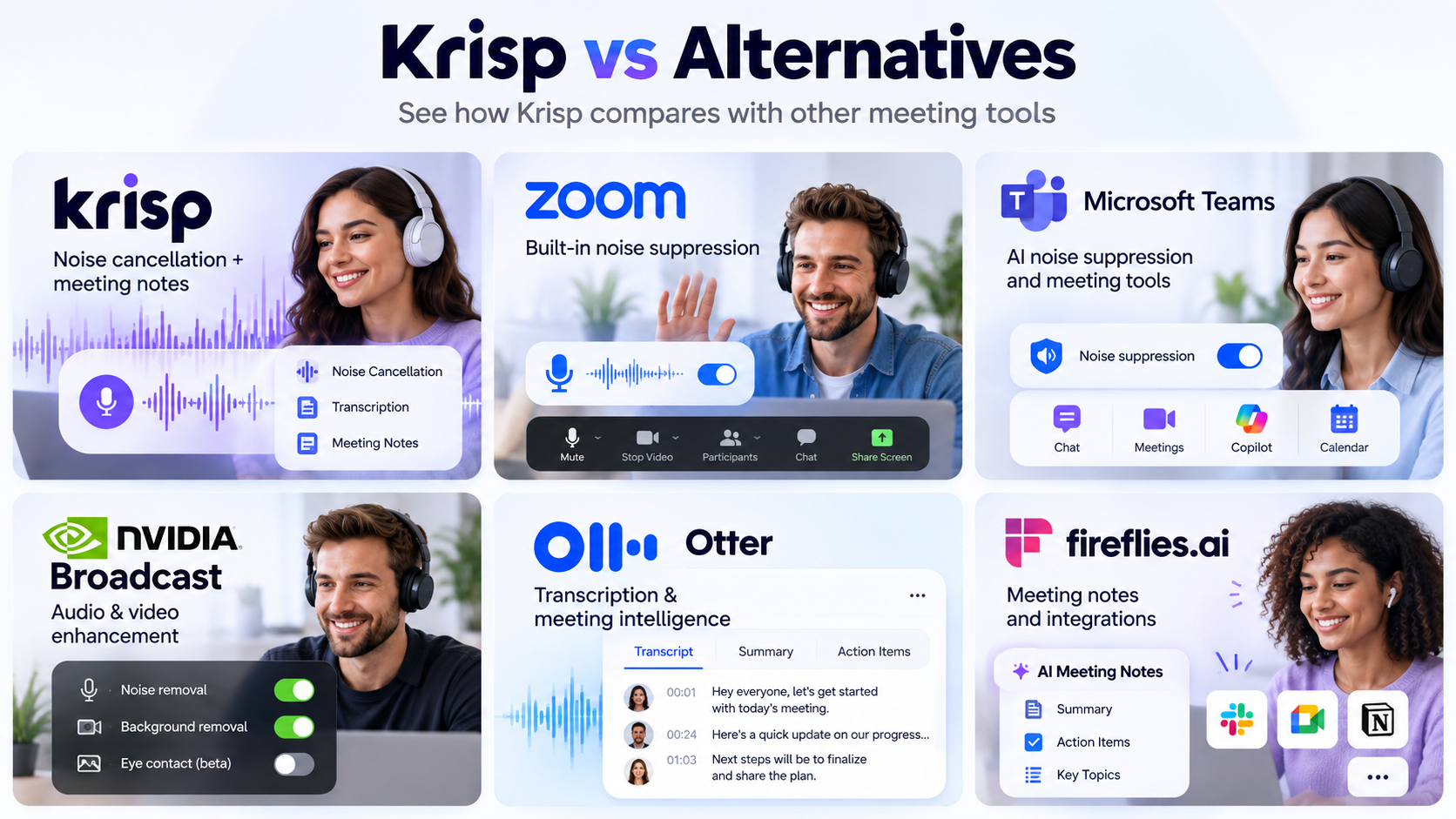
Zoom, Teams and Meet all provide native audio processing today.
Google Meet can remove non-speech noise including typing, doors, construction and room echo. Microsoft Teams includes AI noise suppression, echo reduction and Voice Isolation. Zoom offers multiple noise-suppression levels and Personalized Audio Isolation.
So why pay for Krisp?
The strongest reasons are:
Cross-platform consistency
Incoming and outgoing processing
Dedicated Voice Isolation
Integrated transcription and notes
A single meeting history across applications
Workflow integrations
If those advantages are not important, native suppression may be sufficient.
Krisp vs NVIDIA Broadcast
Krisp and NVIDIA Broadcast overlap in audio cleanup but target somewhat different workflows.
NVIDIA Broadcast offers microphone noise removal, incoming speaker noise removal, room echo removal, Studio Voice and several AI camera effects. The application relies on NVIDIA RTX hardware; current requirements start at a GeForce RTX 2060-class GPU or equivalent supported RTX hardware.
Krisp does not require an NVIDIA GPU and also provides meeting transcription, notes, AI Chat and meeting-management features.
NVIDIA Broadcast may therefore make more sense for:
RTX-equipped desktop users
Streamers
Creators wanting camera effects
Users primarily focused on audiovisual enhancement
Krisp may make more sense for:
Laptop workers
Multi-platform meeting workflows
Users needing transcription and notes
Managed business deployments
Neither product is universally superior because they solve overlapping but not identical problems.
Krisp vs Otter
Otter is primarily an AI transcription and meeting-intelligence product.
Its current free Basic tier includes 300 monthly transcription minutes, AI Chat, speaker identification and support for Zoom, Teams and Google Meet. Paid tiers expand transcription capacity, meeting length, workflows and team administration.
Krisp's key difference is real-time audio processing.
Choose between them based on the primary problem:
Audio quality problem: Krisp has the stronger product focus.
Meeting memory and transcription problem: Otter is more specialized.
Need both: Krisp increasingly overlaps with Otter through transcription, notes and AI Chat.
Krisp vs Fireflies
Fireflies is another meeting-intelligence competitor rather than a direct noise-cancellation equivalent.
Its current free tier includes transcription, limited AI summaries, meeting search and AskFred. Paid plans increase storage, recording, integrations and conversation-intelligence capabilities.
Fireflies currently supports transcription in more than 100 languages according to its pricing page, far beyond Krisp's documented 16-language meeting transcription list.
Krisp's advantage is the live audio layer. Fireflies' strength is the depth of meeting intelligence and workflow around captured conversations.
Krisp vs Zoom
Zoom already has effective audio processing.
It provides background-noise suppression, echo cancellation and Personalized Audio Isolation. Its expanding AI platform also provides meeting summaries and AI note capabilities under applicable plans and usage limits.
The fundamental distinction is platform scope.
Zoom features live inside Zoom.
Krisp is designed to work as an audio layer across compatible communication applications.
If every call happens in Zoom, native features become much more competitive. If calls happen across Zoom, Teams, Meet, softphones and other services, Krisp's architecture becomes more valuable.
Competitor Comparison
Product | Noise / voice processing | Transcription & AI notes | Cross-platform layer | Best suited for |
|---|---|---|---|---|
Krisp | Strong focus; noise, voice isolation, echo | Yes | Yes | Multi-platform communication |
Zoom | Native Zoom processing | Yes, plan-dependent | No | Zoom-centered workflows |
Microsoft Teams | Noise suppression, echo, Voice Isolation | Yes, features/license-dependent | No | Microsoft 365 organizations |
NVIDIA Broadcast | Noise, echo and voice enhancement | No comparable meeting-note suite | Works as virtual device | RTX users and creators |
Otter | Not its primary focus | Strong focus | Meeting integrations | Transcription-first workflows |
Fireflies | Not its primary focus | Strong focus | Meeting integrations | Meeting intelligence and integrations |
The key comparison is not which company has the longest feature list. It is where each product sits in the communication stack.
Krisp operates before and after the meeting platform's audio path while increasingly adding meeting intelligence on top.
Otter and Fireflies are primarily concerned with what happens to the meeting's information.
Zoom and Teams own the meeting platform itself.
NVIDIA Broadcast primarily enhances the user's local audiovisual signal.
Top 15 Krisp Features Worth Knowing About
1. AI Noise Cancellation
What it is: Real-time suppression of unwanted background sound.
How it works: Krisp processes microphone and/or incoming speaker audio through virtual devices.
Why it matters: Reduces distracting sounds without requiring a new meeting platform.
Best use case: Remote work and customer-facing calls.
Limitation: Extremely poor source audio still limits the result.
2. Voice Isolation
What it is: Suppression of nearby human speakers while preserving the main user.
Best use case: Coworking spaces and open offices.
Limitation: Works best with compatible USB boom-mic headsets.
3. Echo Cancellation
What it is: Reduction of acoustic and room echo.
Best use case: Laptop-speaker calls and reflective rooms.
Limitation: Correct routing matters for acoustic echo cancellation.
4. Bidirectional Processing
Krisp can clean your outgoing microphone signal and incoming call audio.
This is particularly useful when the distracting noise comes from another participant rather than your own room.
5. Cross-Platform Virtual Audio
Krisp works with communication applications that support virtual audio devices.
This is one of its biggest differentiators from features locked inside a single conferencing platform.
6. Meeting Transcription
Krisp can turn meetings into editable and downloadable transcripts.
Sixteen languages are currently listed for multilingual transcription.
7. Audio and Video Recording
Core and higher plans include meeting recording.
Recordings can be accessed alongside transcripts and downloaded.
8. AI Meeting Notes
Krisp produces summarized meeting information with key points and action items.
The value is speed; the limitation is that generated summaries still need human review.
9. Meeting Notes Templates
Core and Advanced users can select or create templates for different meeting types.
10. Centralized Action Items
Tasks extracted from meetings can be managed with owners, due dates and completion status.
11. AI Chat
Users can ask questions about captured meetings instead of manually searching the transcript.
12. Accent Conversion
Krisp now provides real-time Accent Conversion in its Meeting AI product, with broader enterprise/contact-center implementations available separately.
Current Meeting AI pricing places limited Accent Conversion in Core and more extensive usage in Advanced.
13. Integrations and Webhooks
Krisp supports integrations and secure webhook events for outputs such as transcripts, notes, recordings and action items.
14. Mobile Meeting Capture
The iOS and Android apps can record and transcribe in-person meetings.
Live Krisp noise cancellation remains desktop-only.
15. Enterprise and Contact-Center Controls
At larger scale, Krisp adds administration, security, deployment and specialized Voice AI functions including translation, analytics and agent assistance.
Krisp Pros and Cons
Pros
Strong real-time noise-cancellation focus
Voice Isolation for nearby speakers
Processes both microphone and incoming audio
Works across many communication applications
No NVIDIA RTX hardware requirement
Combines audio cleanup with transcription and AI notes
Bot-free meeting capture is possible
Useful integrations and webhooks
On-device processing for core noise cancellation
Serious contact-center product line
Cons
Old ongoing free tier has been removed
Monthly pricing is considerably higher than annual pricing
Native Zoom, Teams and Meet processing may be enough for some users
Audio routing can require configuration
Running several audio processors simultaneously can degrade quality
Voice Isolation works best with suitable hardware
Mobile app does not currently provide live Noise Cancellation
AI meeting features create additional privacy considerations
Independent user feedback includes reports of CPU consumption and occasional audio-device issues
Customer Reviews
Independent reviews provide a useful counterbalance to product marketing.
G2
At the time of research, G2 displayed a 4.7/5 rating across more than 1,600 Krisp reviews. Recent reviewers commonly praised noise cancellation and the usefulness of recording or revisiting calls. G2 also identifies whether individual reviews were organic, seller-invited or incentivized, which is important context when evaluating sentiment.
Capterra
Capterra showed Krisp at 4.5/5 from 11 reviews as of September 2026. That is a much smaller sample than G2, so it should not be interpreted with the same statistical weight. Recent Capterra feedback includes criticism of the removal of the old free tier.
Trustpilot
Trustpilot showed a markedly different picture: 2.9/5 from 413 reviews at the time of research. Recent complaints included subscription and renewal experiences, support problems and resource usage, while positive reviews also described successful refund or customer-service experiences.
The gap between platforms is a good reminder not to quote one rating as if it represents universal customer sentiment.
Customer Sentiment
Several recurring themes appear across independent feedback.
Common praise
Noise cancellation remains the feature most consistently praised.
Users also appreciate:
Ease of initial setup
Ability to work from noisy locations
Transcripts
Meeting recording
AI summaries
Common complaints
Recurring criticisms include:
Subscription price
Loss of the former free tier
CPU/resource consumption
Audio-device conflicts
Bugs after updates
Occasional dissatisfaction with support
Subscription and renewal complaints
Reddit discussions are anecdotal rather than controlled product tests, but multiple users independently mention CPU spikes, instability or a perception that the app has become heavier as more features were added.
Those reports should be treated as user experiences, not proof that every installation will have the same problem.
Does Krisp Actually Work?
For the core use case, there is substantial evidence that Krisp is a functioning, established noise-cancellation product rather than a marketing concept.
Its technology is used at meaningful scale, including an embedded implementation in Discord, and large numbers of independent reviewers specifically praise the noise-cancellation functionality.
That does not mean every environment produces the same result.
Performance may vary with:
Microphone quality
Microphone placement
Headset type
CPU resources
Competing signal processing
Noise volume
Human voices in the background
Crosstalk
Application configuration
Krisp is most convincing when viewed as a signal-improvement tool rather than a promise to make every environment perfectly silent.
System Requirements
For the standard Krisp application, current recommended requirements are:
macOS
macOS 14 Sonoma or later
Intel Core i5 or Apple silicon
8 GB RAM or more
Windows
64-bit Windows 10 or Windows 11
Intel Core i5 or AMD Ryzen 5
8 GB RAM or more
.NET Framework 4.6.2
The standard desktop app currently does not support Linux or Chrome OS.
Krisp also offers different performance modes. Its settings include an automatic mode, a Best Noise Cancellation mode that may consume more power, and a CPU Optimized mode designed to reduce processor and battery usage.
Users on older laptops should test Krisp during a realistic video call rather than judging performance only while the app is idle.
Ease of Use
For an average Zoom, Meet or Teams user, initial setup is reasonably straightforward once the virtual-device concept makes sense.
The main learning curve is audio routing.
A new user must understand that:
physical mic ≠ Krisp Microphone
The physical microphone is selected inside Krisp. Krisp Microphone is then selected inside the meeting application.
Once configured, most users can leave the setup in place for future calls.
The more difficult situations usually involve competing audio processing, browser limitations or applications that do not expose their audio devices clearly.
Who Should Use Krisp?
Remote workers
Good fit when household or environmental noise is frequent.
Freelancers
Useful when calls happen across several client platforms.
Sales professionals
Strong fit when audio quality, meeting notes and CRM follow-up are all valuable.
Recruiters
Useful for interview audio and, under appropriate policies, transcription.
Customer-support agents
Good fit where background noise affects daily call quality.
Managers
Meeting notes and AI Chat may provide more value than noise cancellation itself.
Consultants
Useful for client calls where communication quality and reliable notes matter.
Teachers and coaches
Relevant for live sessions from imperfect acoustic environments.
Content creators
Potentially helpful for live content, but not a replacement for professional production tools.
Call centers
A core Krisp target market, especially where existing CCaaS infrastructure should remain in place.
Enterprises
Relevant where centralized deployment, SSO, security controls and governance justify a dedicated platform.
Who Should Not Use Krisp?
Krisp may be unnecessary for users who:
Work almost exclusively in quiet environments
Already get satisfactory results from native platform noise suppression
Attend very few online calls
Primarily need post-production audio restoration
Already pay for a meeting assistant that covers their transcription workflow
Use unsupported desktop operating systems
Do not want another application processing meeting information
Have strict organizational policies preventing third-party meeting capture
The strongest reason not to buy Krisp is not that the technology lacks value. It is that some users already have enough functionality in software they pay for elsewhere.
Krisp by Use Case
Remote meetings
Problem: Household noise.
Feature: Noise Cancellation.
Benefit: Cleaner conversation.
Limitation: Native platform suppression may already be sufficient.
Sales calls
Problem: Distractions plus administrative follow-up.
Feature: Noise Cancellation + notes + action items.
Benefit: Cleaner call and faster documentation.
Limitation: CRM workflow may require integration setup.
Customer support
Problem: Background noise in repeated conversations.
Feature: Noise Cancellation and Voice Isolation.
Benefit: More consistent call environment.
Limitation: Hardware still matters.
Recruiting
Problem: Interview audio and note-taking.
Feature: Noise Cancellation + transcription.
Benefit: Easier review.
Limitation: Recording policies and consent need attention.
Online teaching
Problem: Household noise.
Feature: Noise Cancellation.
Benefit: Less distraction for students.
Limitation: Music or intentional ambient audio may be suppressed.
Consulting
Problem: Capturing client decisions and follow-up.
Feature: Notes, action items and AI Chat.
Benefit: Less manual review.
Limitation: Sensitive conversations may require stricter handling.
Podcasting
Problem: Live environmental noise.
Feature: Noise Cancellation.
Benefit: Cleaner live feed.
Limitation: Dedicated recording and post-production tools provide more control.
Contact centers
Problem: Noise, accents, language and call analysis.
Feature: Contact Center AI platform.
Benefit: One Voice AI layer across existing systems.
Limitation: Enterprise evaluation and deployment required.
Practical Krisp Workflows
Workflow 1 — Zoom Meeting
Install Krisp.
Select your physical mic/headphones inside Krisp.
Open Zoom Audio settings.
Select Krisp Microphone and Krisp Speaker.
Set Zoom noise suppression to Low.
Enable Krisp Noise Cancellation.
Join the meeting.
Enable Note Taker only if meeting capture is appropriate.
Workflow 2 — Google Meet
Install and configure Krisp.
Open Meet Audio settings.
Select Krisp Microphone and supported Krisp Speaker.
Disable Meet Noise Cancellation when using Krisp processing.
Join the call.
Check the Krisp status indicator.
Workflow 3 — Sales Call
Verify headset and microphone.
Activate Krisp audio processing.
Join the sales call.
Capture the meeting when permitted.
Review transcript.
Verify AI summary.
Confirm extracted action items.
Send the necessary information into the CRM or follow-up workflow.
Workflow 4 — Recruiting Interview
Confirm company recording policy.
Notify participants where required.
Enable Krisp for clean audio.
Conduct the interview.
Use transcription if permitted.
Review AI notes against the transcript.
Keep human judgment separate from automated summarization.
Workflow 5 — Daily Remote Work
Configure Krisp as the normal microphone.
Turn off competing noise processors where appropriate.
Use Krisp across supported calling applications.
Activate Note Taker selectively rather than recording every conversation by default.
Buyer Objections
"My meeting app already has noise cancellation."
That is a valid objection. Zoom, Teams and Google Meet all have capable native processing.
Krisp adds the most value when you want cross-platform consistency, incoming audio cleanup, Voice Isolation or meeting AI functions that should work independently of one conferencing provider.
"Why should I pay for Krisp?"
Pay for it when noise or meeting documentation is a recurring business problem. If the problem happens twice a year, the subscription is difficult to justify.
"Can a better microphone solve the problem?"
Sometimes.
A boom microphone close to your mouth can improve signal quality before any software processing occurs. Krisp itself recommends appropriate headset hardware. Software and hardware are complementary rather than mutually exclusive.
"Is Krisp better than Zoom noise suppression?"
They solve overlapping problems.
Zoom's suppression may be enough for Zoom-only users. Krisp becomes more interesting for users moving between multiple communication applications.
"Do I need AI meeting notes?"
Not necessarily.
They are most valuable when you regularly revisit discussions, decisions and action items.
"Is the free version enough?"
There is no longer an ongoing free tier comparable to the old 60-minute-per-day plan. The current consumer offering begins with a seven-day trial.
"Does Krisp record my calls automatically?"
Noise Cancellation itself does not require cloud recording.
Recording and Note Taker features involve different processing and can be controlled separately.
"Is Krisp safe?"
For noise cancellation, Krisp states that processing stays on-device. Meeting Assistant functionality may store recordings, transcripts and summaries, so organizations should evaluate those policies separately.
"Does Krisp work with Teams?"
Yes. Krisp provides specific Teams configuration instructions.
"Does Krisp work with Google Meet?"
Yes, with browser-specific considerations for virtual speakers.
"Will Krisp slow down my computer?"
It consumes processing resources like any real-time audio AI application. Krisp provides CPU-optimized settings, and independent users have reported both acceptable performance and occasional high-resource usage. Testing on your actual workload is the best approach.
ROI and Productivity Analysis
The most defensible productivity case for Krisp is based on avoided friction rather than headline percentage improvements.
Potential value comes from:
Fewer interruptions caused by background noise
Less repetition during calls
Less manual note-taking
Faster retrieval of past discussions
Faster preparation of meeting summaries
Easier extraction of action items
Consistent audio configuration across several platforms
None of those automatically translates into measurable revenue.
For an individual, time saved may be the main justification.
For a contact center, the economic model may involve hundreds or thousands of agents, making audio consistency an operational problem rather than a personal convenience.
Marketing and Product Positioning Analysis
What category does Krisp occupy?
Krisp began with a strong association with AI noise cancellation.
Its current commercial position is broader: Voice AI for meetings and contact centers.
That positioning makes sense because the company now sells capabilities that operate before, during and after a conversation.
Value proposition
The clearest value proposition is not "AI meeting notes."
Many products generate AI notes.
The stronger proposition is:
Improve the conversation itself, then capture and organize what happened.
Differentiation
Noise cancellation, transcription and AI summaries individually are no longer unusual.
Krisp's differentiation is the combination of:
Real-time audio processing
Voice Isolation
Platform independence
Meeting intelligence
Contact-center deployment
Conversion triggers
Users are most likely to upgrade after experiencing one of three things:
Background noise repeatedly causes call problems.
They want transcription and notes across several meeting platforms.
They need the old free functionality often enough that the trial is insufficient.
Purchase objections
The biggest objections are price, native alternatives, hardware alternatives, CPU usage and privacy.
A credible Krisp sales argument must address those directly rather than claiming every online meeting needs another AI application.
FAQ: People Also Ask About Krisp
What is Krisp?
Krisp is a Voice AI application that processes call audio and also provides meeting transcription, recording, notes and related productivity features.
Is Krisp legit?
Yes. Krisp is an established software platform with large-scale commercial deployments and more than 1,600 reviews listed by G2 at the time of research.
Is Krisp safe?
Its core noise-cancellation processing is documented as on-device. Recording and AI meeting features may involve cloud storage and third-party processing, so those features require a separate privacy assessment.
Is Krisp free?
Krisp currently offers a seven-day free trial rather than the old persistent free plan.
How much does Krisp cost?
Core currently costs $16 monthly or $8/user/month billed annually. Advanced costs $30 monthly or $15/user/month billed annually. Enterprise uses custom pricing.
Is Krisp worth it?
It can be worth paying for if background noise, Voice Isolation, transcription or meeting notes are frequent needs. Occasional callers may get enough from built-in meeting-platform features.
Does Krisp actually work?
Independent reviews widely report effective noise cancellation, although results vary with hardware, processing load and environment.
Does Krisp remove background noise?
Yes. Real-time background-noise cancellation is the product's foundational capability.
Does Krisp remove voices?
Voice Isolation is designed to suppress nearby human voices while keeping the primary speaker.
Does Krisp remove keyboard noise?
Keyboard noise is a typical non-speech noise-cancellation use case.
Does Krisp cancel echo?
Yes. Krisp documents both Acoustic Echo Cancellation and Room Echo Cancellation.
Does Krisp work with Zoom?
Yes. Select Krisp Microphone and Krisp Speaker in Zoom's audio settings.
Does Krisp work with Google Meet?
Yes. Speaker routing depends partly on browser support.
Does Krisp work with Microsoft Teams?
Yes. Krisp provides a dedicated Teams setup guide.
Does Krisp record meetings?
Yes, when the recording functionality is intentionally used. Recording is available from Core upward.
Does Krisp transcribe meetings?
Yes. Its multilingual meeting transcription currently supports 16 documented languages.
Does Krisp generate AI meeting notes?
Yes. The AI Meeting Assistant can create key points, notes and action items from captured meetings.
What is Krisp Voice Isolation?
It is Krisp's feature for suppressing surrounding human speakers while preserving the primary user's voice.
Is Krisp better than Zoom noise cancellation?
Not universally. Zoom has capable built-in suppression. Krisp offers additional value mainly through cross-platform processing and its broader meeting AI layer.
Is Krisp better than NVIDIA Broadcast?
They target different users. NVIDIA Broadcast is attractive to RTX-equipped creators, while Krisp is more focused on meetings, multi-platform calling and productivity workflows.
Is Krisp better than Otter?
Krisp is more focused on improving live audio. Otter is more specialized around transcription and meeting intelligence.
What are the best Krisp alternatives?
Depending on the need, relevant alternatives include native Zoom/Teams/Meet processing, NVIDIA Broadcast for audio/video enhancement, and Otter or Fireflies for meeting transcription and intelligence.
Does Krisp work on Mac?
Yes. Current recommended requirements start at macOS 14 Sonoma, with Intel Core i5 or Apple silicon and 8 GB RAM.
Does Krisp work on Windows?
Yes. Current guidance recommends 64-bit Windows 10 or Windows 11, an Intel Core i5 or AMD Ryzen 5 and 8 GB RAM.
Does Krisp work on Linux?
The standard Krisp Meeting AI desktop app does not currently support Linux. Krisp has other enterprise/developer technologies with different platform support, so these should not be confused.
Does Krisp slow down your computer?
Real-time audio AI requires processing resources. Krisp provides CPU-optimized modes, but performance should be tested under the user's actual meeting workload.
Internal Linking Suggestions
Natural internal-link opportunities for a Krisp review include:
best AI meeting assistants
best AI tools for remote work
best meeting transcription software
best AI productivity tools
best noise cancellation software
best AI tools for sales teams
best AI tools for customer support
best remote work software
Otter alternatives
Fireflies alternatives
NVIDIA Broadcast alternatives
best AI tools for meetings
For AI Explore Zone, these links should be placed where they solve the reader's next question rather than added as a block of SEO anchors.
Krisp Final Verdict
Krisp's strongest quality is no longer any single feature.
Its value comes from connecting two stages of digital communication that are usually handled by different products:
improving the live conversation and organizing the information created by that conversation.
What Krisp Does Best
Krisp remains particularly strong when background sound and nearby voices are genuine, recurring problems.
Its virtual-device architecture also remains commercially relevant because it allows one processing layer to work across multiple compatible meeting and calling applications.
Biggest Strengths
The strongest elements are:
Real-time AI noise cancellation
Voice Isolation
Incoming and outgoing processing
Cross-platform compatibility
On-device processing for core noise cancellation
Integrated transcription and meeting notes
AI Chat and action items
Strong business and contact-center expansion
Biggest Weaknesses
The major limitations are:
No permanent free tier comparable to the old plan
Native meeting-platform audio tools have improved significantly
Audio-device configuration can add complexity
Real-time AI processing consumes system resources
Meeting recording and AI notes introduce additional privacy considerations
The broader product can be excessive for users who only want occasional noise suppression
Best For
Krisp fits particularly well for remote professionals, consultants, sales teams, recruiters, customer-support organizations and contact centers that conduct a large volume of voice communication.
Not Ideal For
It is less compelling for users who work in consistently quiet environments, only use one conferencing application with adequate native processing, or simply need to clean prerecorded audio.
Free vs Paid Value
There is no longer a traditional free-versus-paid decision.
The current path is:
7-day trial → Core → Advanced → Enterprise.
Core is the most relevant tier for individuals because it unlocks the primary Meeting AI experience at $8/user/month when billed annually or $16 month-to-month.
Best Alternatives by Need
For RTX-powered creators focused on audiovisual enhancement, NVIDIA Broadcast deserves consideration.
For transcription-first workflows, Otter is a stronger specialist.
For meeting intelligence, integrations and large multilingual coverage, Fireflies is a serious alternative.
For users who operate entirely inside Zoom, Teams or Google Meet, testing the native audio and AI meeting capabilities first is sensible.
Is Krisp Worth It?
Krisp is worth considering when poor call environments or meeting documentation are recurring workflow problems rather than occasional inconveniences.
A remote salesperson switching between Zoom, Teams and customer calls may receive substantial value from one consistent audio and meeting layer.
A manager attending dozens of meetings may justify the subscription primarily through transcripts, summaries and AI Chat.
A call center may evaluate Krisp as infrastructure rather than an individual productivity app.
But someone with a good headset, a quiet office and only a few Zoom meetings each week may already have everything they need through Zoom's built-in noise removal.
That distinction is what ultimately determines Krisp's value.
Krisp does not make good hardware irrelevant, does not guarantee perfect transcription, and does not eliminate the need to think about meeting privacy.
What it does provide is an increasingly comprehensive Voice AI layer that can improve how conversations sound, capture what was said and turn meetings into information that is easier to use afterward.
For communication-heavy professionals and organizations, that combination is considerably more compelling than noise cancellation alone.


